← All projects
System tools & diagnosticsActive

Windows Toolbar Utility

Windows 11 tray utility: per-app volume, system readings, screenshots, Send to and a cleaner.

C#WindowsMIT license

Overview

Windows 11 tray utility: per-app volume, system readings, screenshots, Send to and a cleaner
Main features

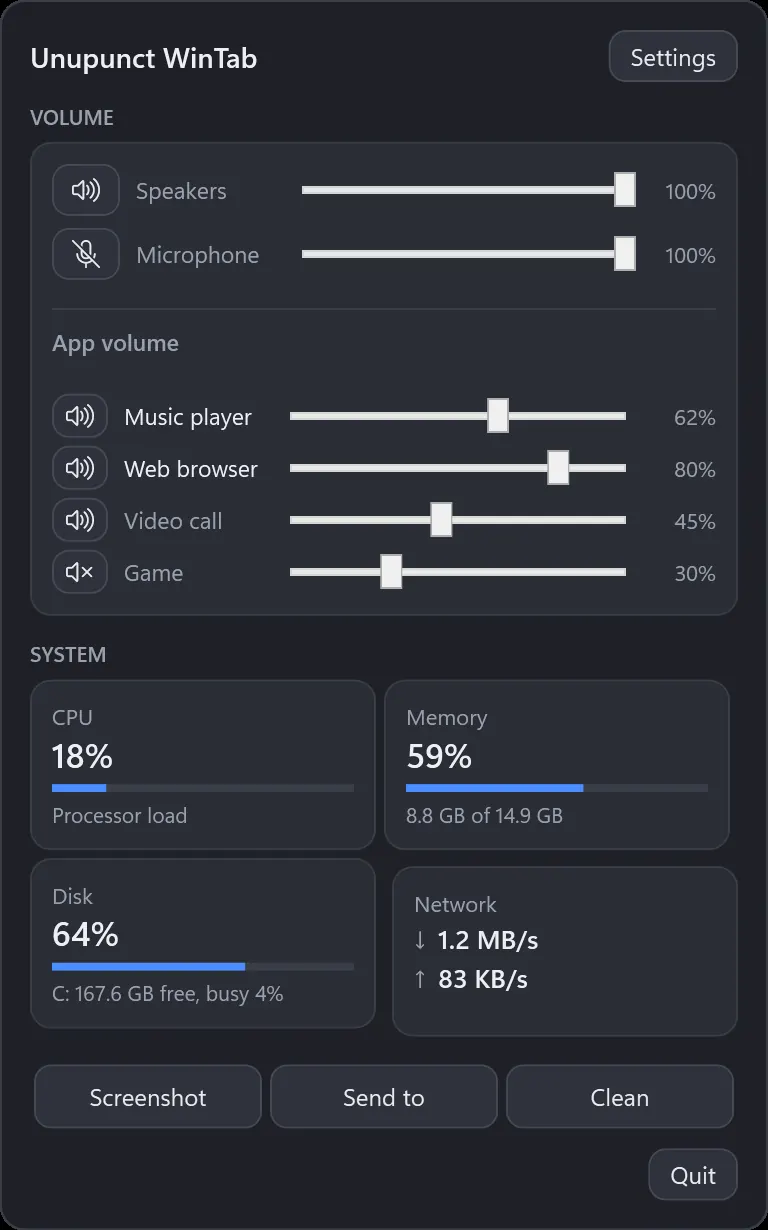
  • Volume. Click the tray icon for the output and microphone sliders with mute buttons, and one slider per app that is using sound (Windows allows that), with a mute…
  • Readings next to the tray. A small strip left of the tray icons shows CPU 12% RAM 48% DSK 36% ↓1.2M ↑85K; click it to open the panel.
  • Screenshot. Drag a rectangle on a frozen copy of the screen. It is copied to the clipboard and saved to Pictures\Screenshots. Esc cancels, Enter takes the whole screen.
  • Send to. Copy files to a folder, a drive or a mounted network location, or open them in an app.
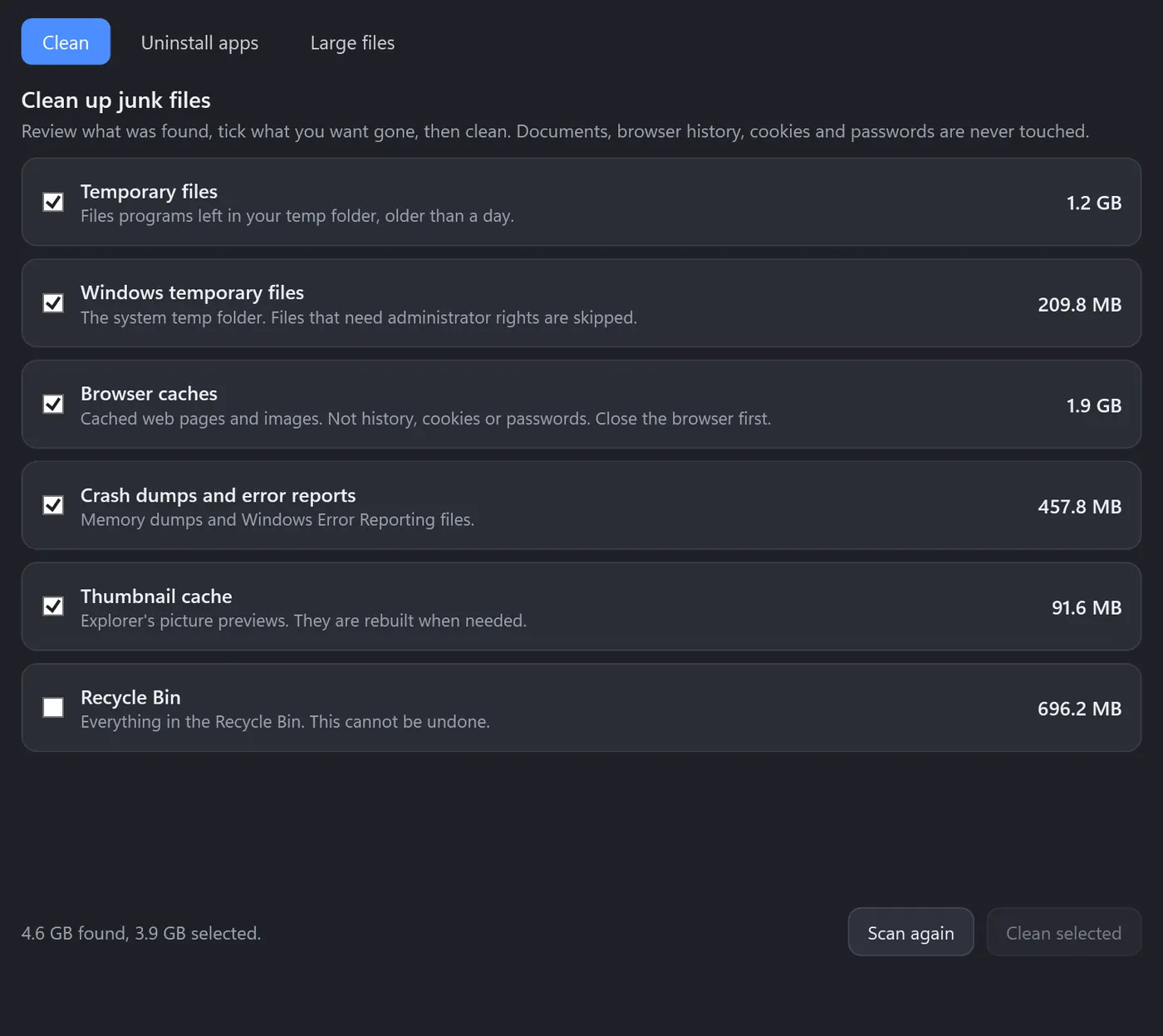
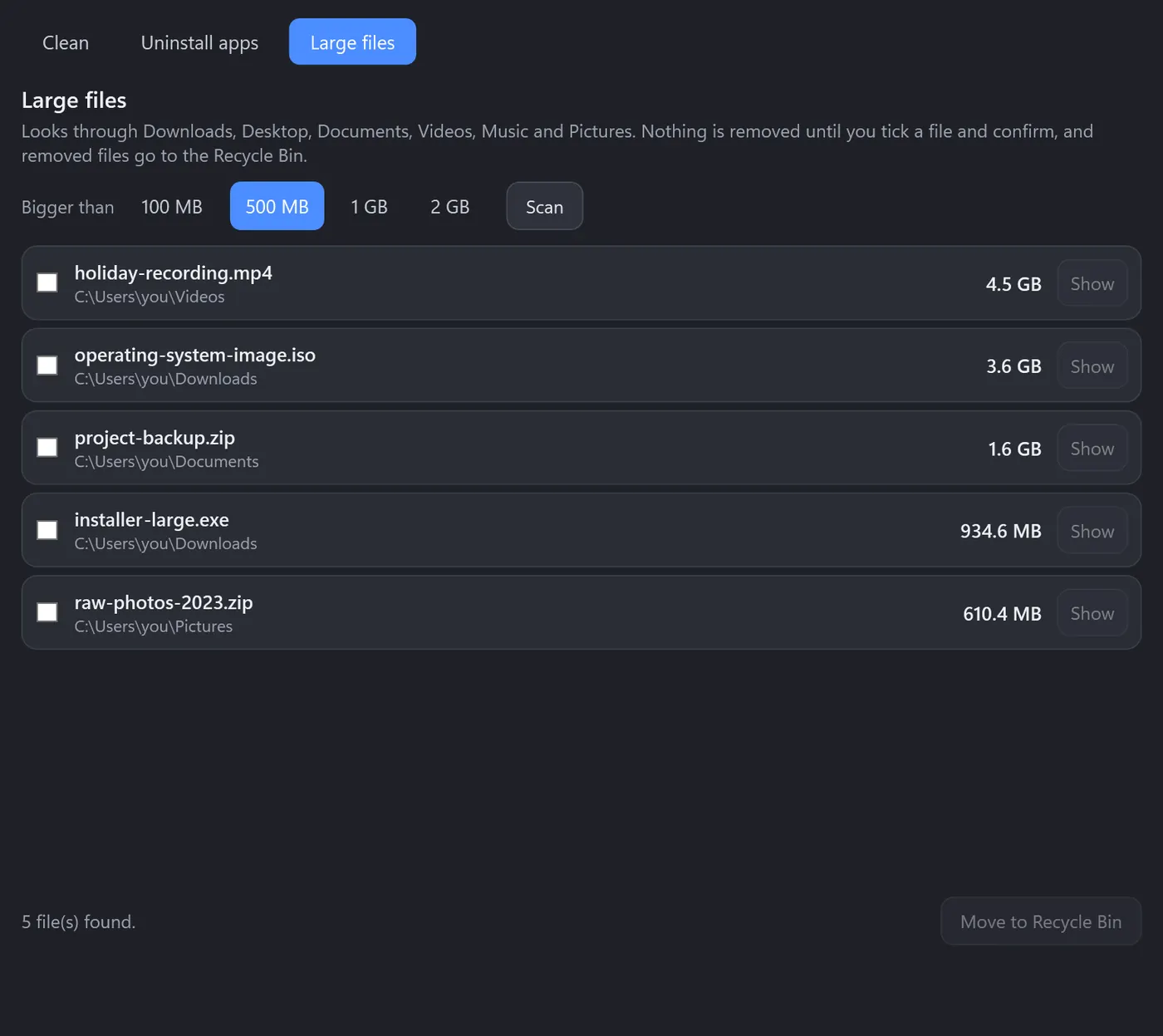
  • Clean. One window with three tabs
  • Clean: temporary files, Windows temp, browser caches (Chrome, Edge, Brave, Firefox; never history, cookies or passwords), crash dumps and error reports, the thumbnail…
  • Uninstall apps: the programs Windows can uninstall, filterable and sortable by size. Uninstall starts the program's own uninstaller, which asks you to confirm.
  • Large files: finds files over 100 MB, 500 MB, 1 GB or 2 GB in Downloads, Desktop, Documents, Videos, Music and Pictures. Removal moves them to the Recycle Bin.

Screenshots

Technologies

C#dotnettray-apputilitieswindowswindows-11wpf

Installation

Installation and usage instructions are in the project README on GitHub.

Supported operating systems

Windows

Taken from the repository description.

Related projects

Filip Board FAN Control

Windows fan monitoring and opt-in, verified fan control for the Gigabyte Z370 AORUS Gaming 7 (WPF, .NET 8, LibreHardwareMonitor, SQLite). Read-only by default.

DNS Manager

Windows desktop app to switch DNS providers safely, benchmark resolvers, manage DNS profiles and troubleshoot DNS. WPF / .NET 10, local-only, no telemetry.

MacTab

Unupunct's MacOS menu-bar utility hub. macOS 13 and later should open it.