Filip Board FAN Control
Windows fan monitoring and opt-in, verified fan control for the Gigabyte Z370 AORUS Gaming 7 (WPF, .NET 8, LibreHardwareMonitor, SQLite). Read-only by default.
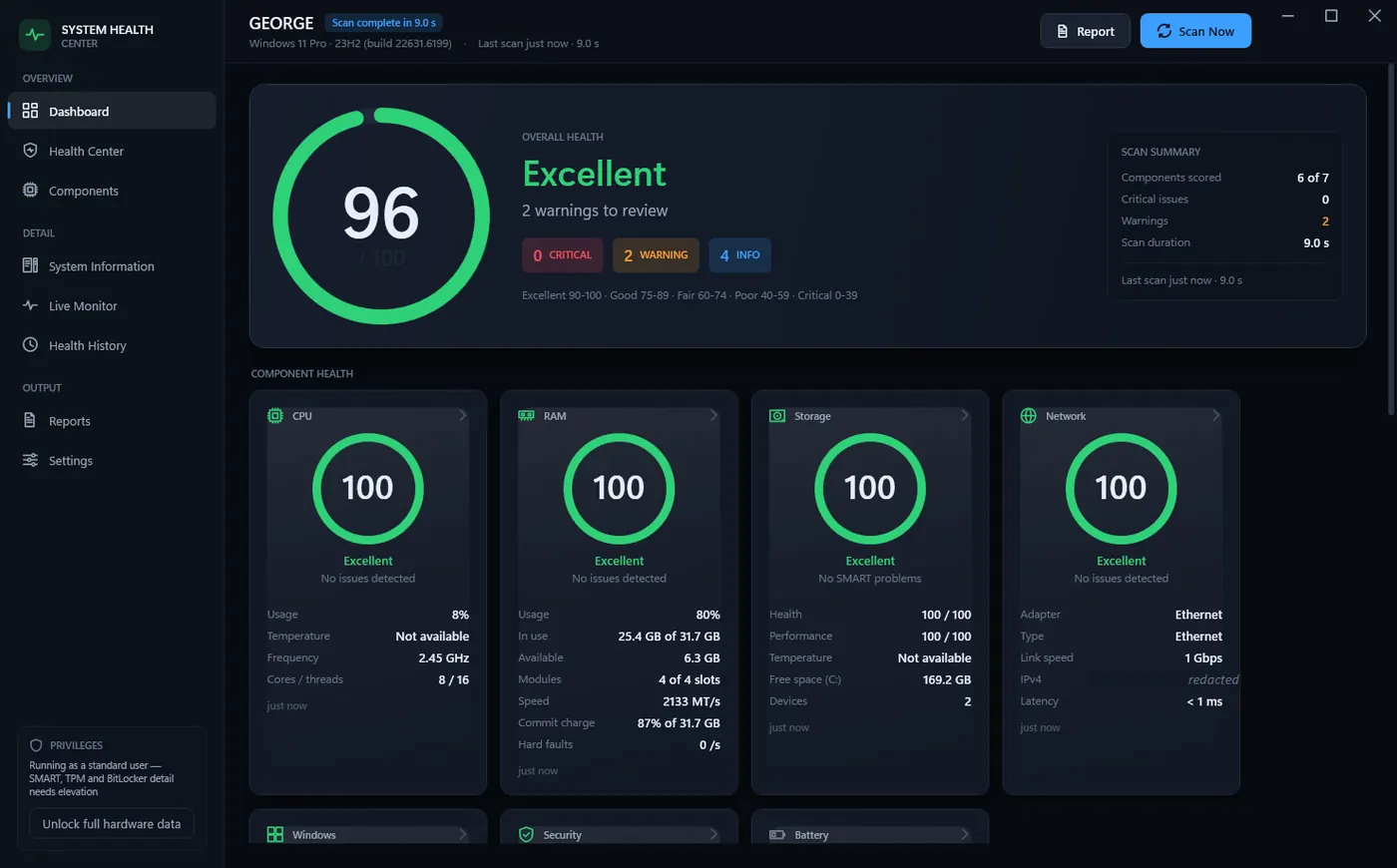
Portable Windows PC health dashboard - 0-100 scores for CPU, RAM, storage, network, Windows, security and battery, with the measured evidence behind every number.
Portable Windows PC health dashboard - 0-100 scores for CPU, RAM, storage, network, Windows, security and battery, with the measured evidence behind every number. Single self-contained exe, no admin required, fully offline.
Installation and usage instructions are in the project README on GitHub.
Taken from the repository description.
v1.0.0 · 2026-08-05 · SystemHealthCenter.exe
Notes of the latest release (v1.0.0), from GitHub:
First public release.
Download
[SystemHealthCenter.exe](https://github.com/unupunct/System-Health-Center/releases/download/v1.0.0/SystemHealthCenter.exe) — 63.3 MB, one file. Drop it anywhere and double-click. No installer, no .NET runtime to install, no administrator rights, no account, no network access.
SHA-256 187BCF5885CE96536186EBD1E9AEBA47D9FC4C3CAE45EBC94313DD0AC917DDA3
Requires Windows 10 (1607 or newer) or Windows 11, x64.
Windows SmartScreen will warn on first run because the executable is unsigned. More info then Run anyway, or verify the hash above first.
What it does
Scans the local PC and reports a 0-100 health score for the system overall and for CPU, RAM, storage, network, Windows, security and battery — always with the measured evidence behind the number.
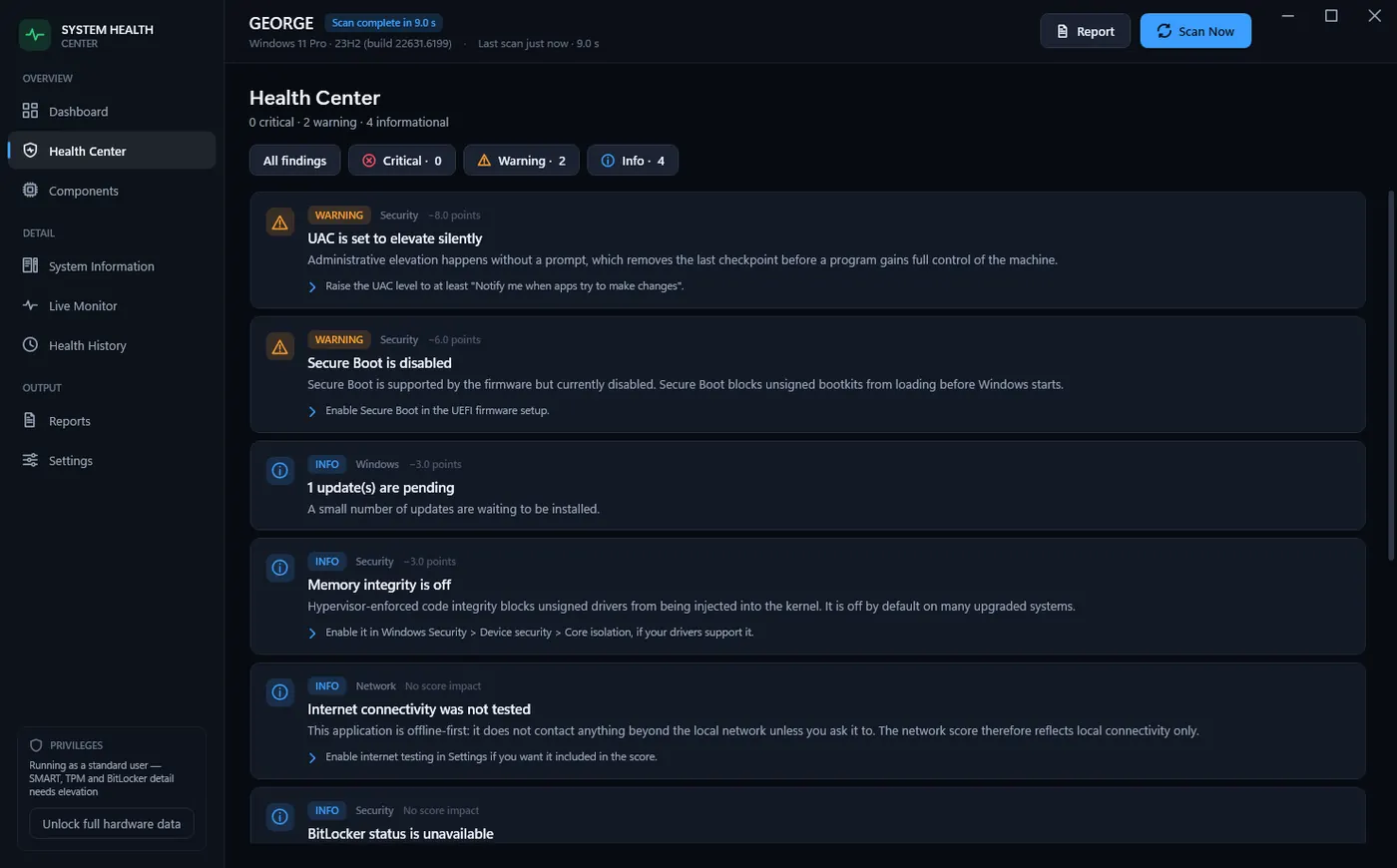
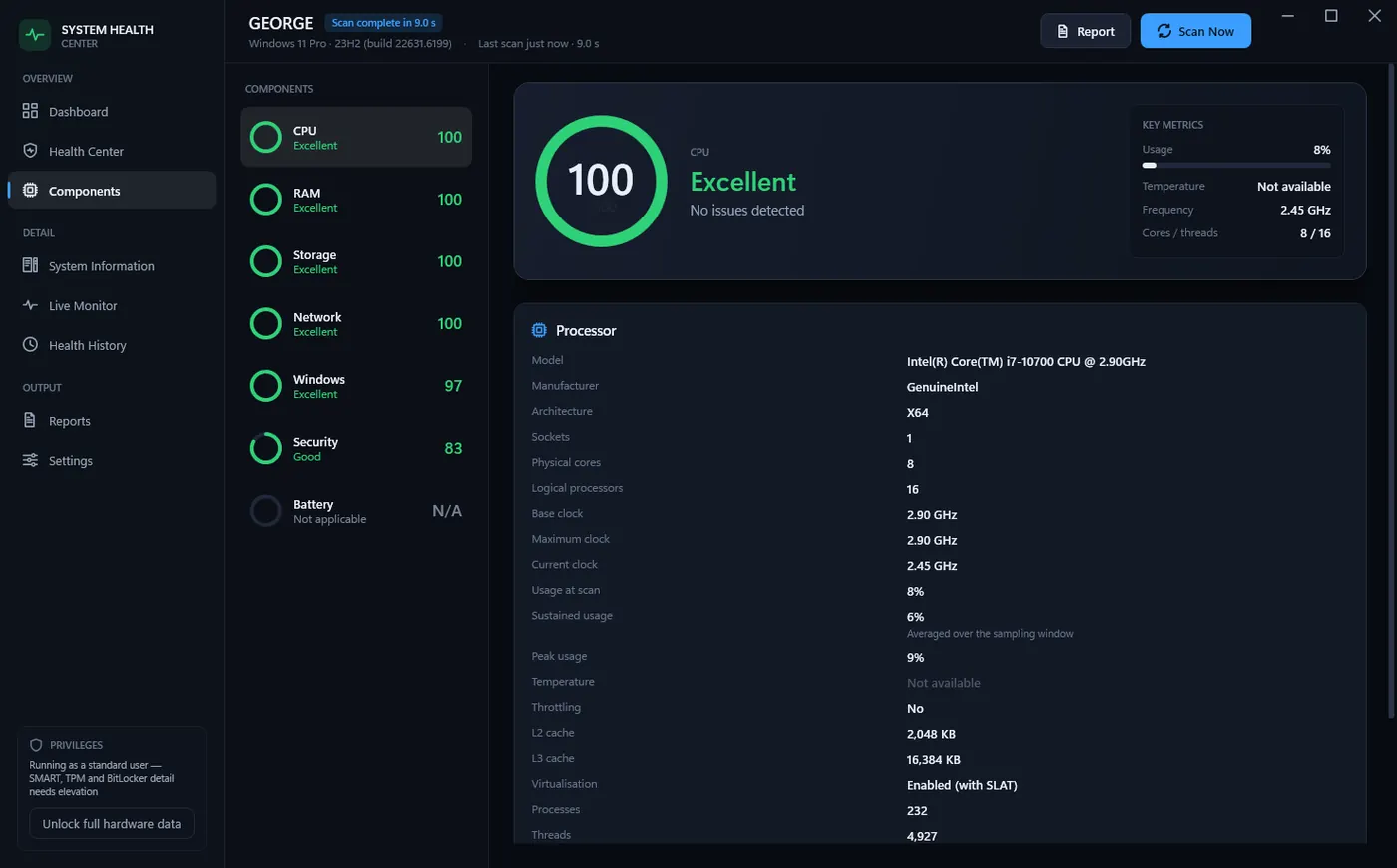
- Dashboard — animated overall gauge, seven component cards, top problems, recommendations, 7-day trend - Health Center — every finding in priority order; selecting one jumps to its component - Components — per-component detail, per-drive SMART tables, optional storage benchmark - System Information — full inventory from CPU and RAM modules to firmware, drives, adapters and displays - Live Monitor — 1/2/5/10-second sampling of CPU, RAM, GPU, disk and network - Health History — local 24-hour, 7-day and 30-day score trends - Reports — HTML (printable), JSON, CSV and plain text - Settings — score bands, component weights, monitoring interval, tray
Windows fan monitoring and opt-in, verified fan control for the Gigabyte Z370 AORUS Gaming 7 (WPF, .NET 8, LibreHardwareMonitor, SQLite). Read-only by default.
Windows desktop app to switch DNS providers safely, benchmark resolvers, manage DNS profiles and troubleshoot DNS. WPF / .NET 10, local-only, no telemetry.
Unupunct's MacOS menu-bar utility hub. macOS 13 and later should open it.