WIFI Center (Parrot OS)
WIFI Center: a security workstation and system manager for Parrot OS (Python/Qt).
See what your computer is communicating with. Windows network connection monitor with process mapping and an interactive network map. Local-only, open source.
See what your computer is communicating with. Windows network connection monitor with process mapping and an interactive network map. Local-only, open source.
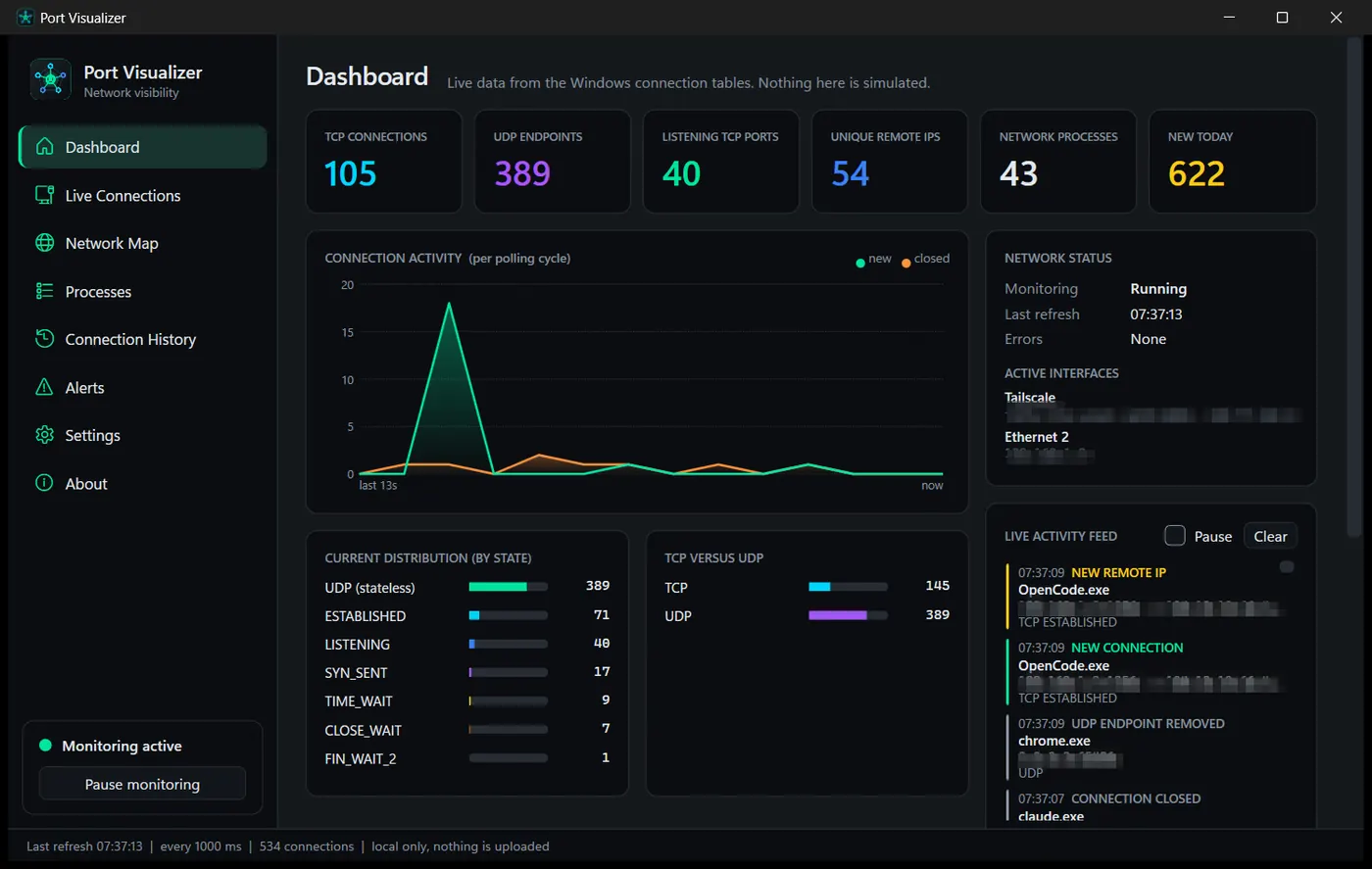
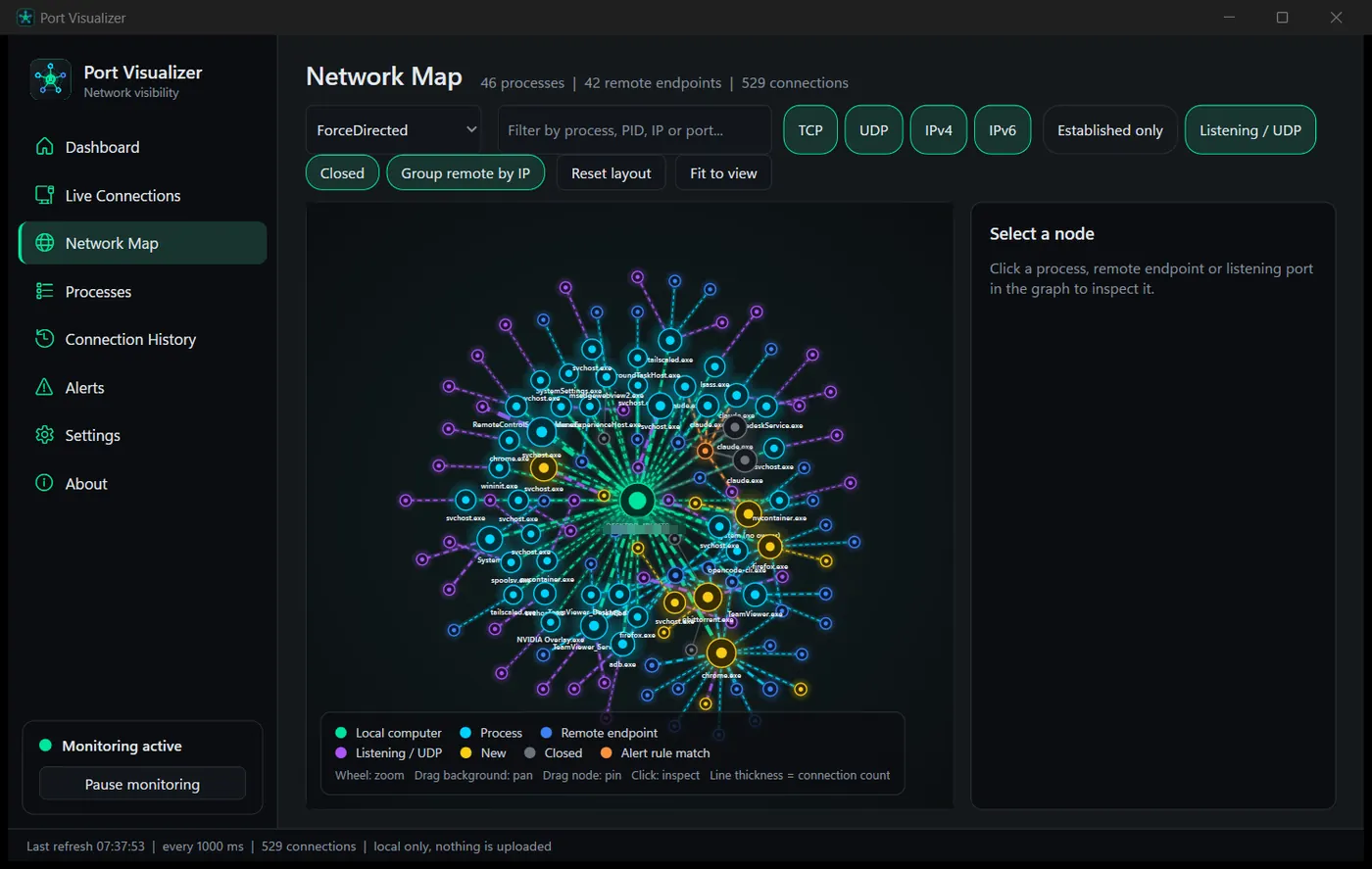
Installation and usage instructions are in the project README on GitHub.
Taken from the repository description.
v1.0.0 · 2026-11-13 · CHANGELOG.txt, PortVisualizer.exe, PortVisualizer_Setup.exe
Notes of the latest release (v1.0.0), from GitHub:
First release of Port Visualizer: see what your computer is communicating with.
Downloads - PortVisualizer_Setup.exe - installer (per-user by default, no admin needed; Start Menu shortcut, optional desktop shortcut, upgrade-safe, uninstaller with optional data removal) - PortVisualizer.exe - portable single-file app
Windows 10/11 x64. No .NET runtime required. Data is stored in %LOCALAPPDATA%\PortVisualizer.
Highlights: real-time TCP/UDP (IPv4+IPv6) monitoring, process identity by PID + start time, interactive network map, live connection table, history with retention, user-defined alert rules, CSV/JSON/HTML export, system tray.
Local-only: no packet capture, no uploads, no process killing, no firewall changes.
Note: the installer and exe are not code-signed, so Windows SmartScreen may show a warning.
WIFI Center: a security workstation and system manager for Parrot OS (Python/Qt).
Universal local network file sharing, synchronization & device management. Install. Open. Discover. Share.
Professional desktop app for local network visibility: device discovery, traffic analysis, security monitoring and reports. Privacy-first, local-first.