WIFI Center (Parrot OS)
WIFI Center: a security workstation and system manager for Parrot OS (Python/Qt).
Professional desktop app for local network visibility: device discovery, traffic analysis, security monitoring and reports. Privacy-first, local-first.
Professional desktop app for local network visibility: device discovery, traffic analysis, security monitoring and reports. Privacy-first, local-first.
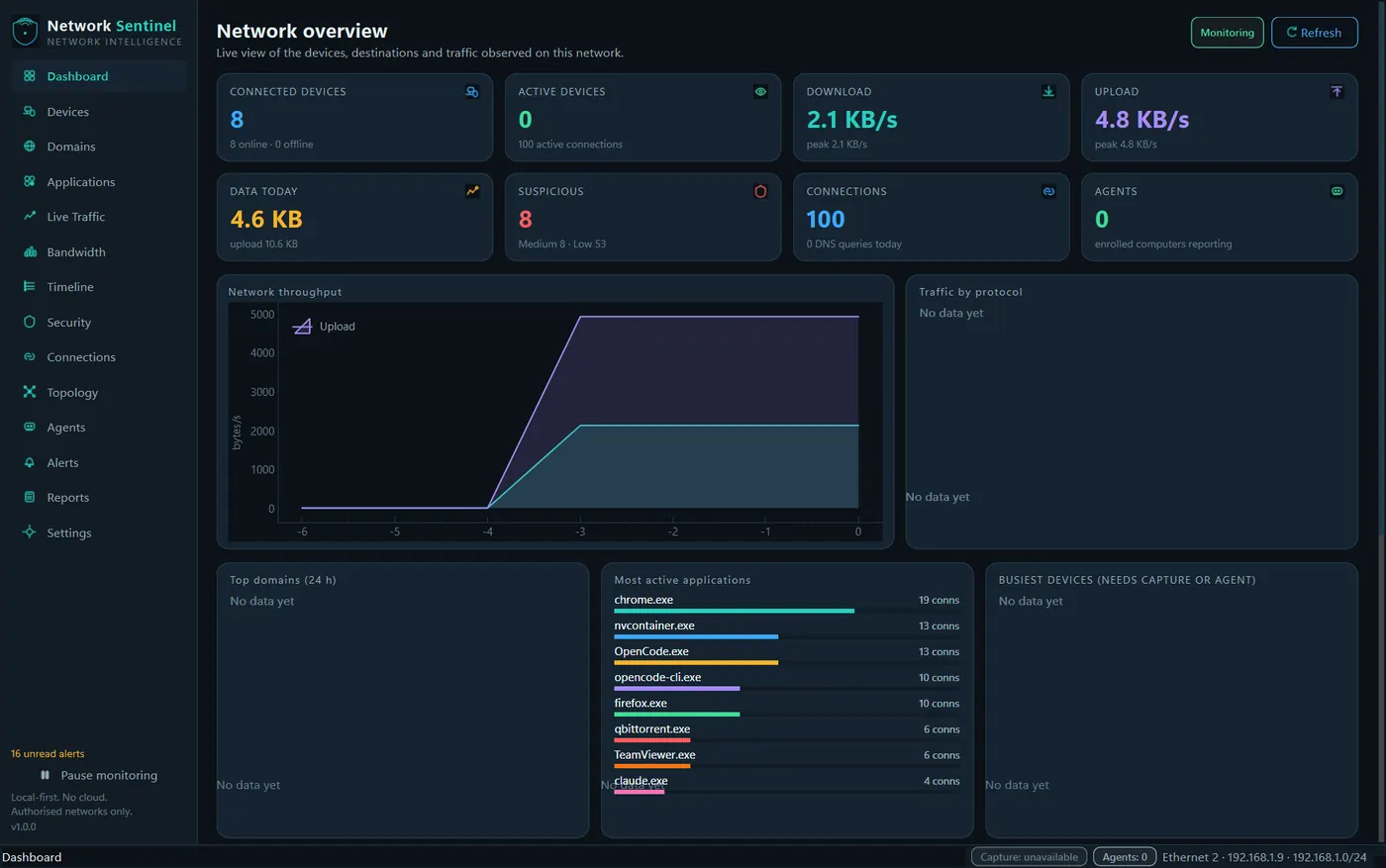
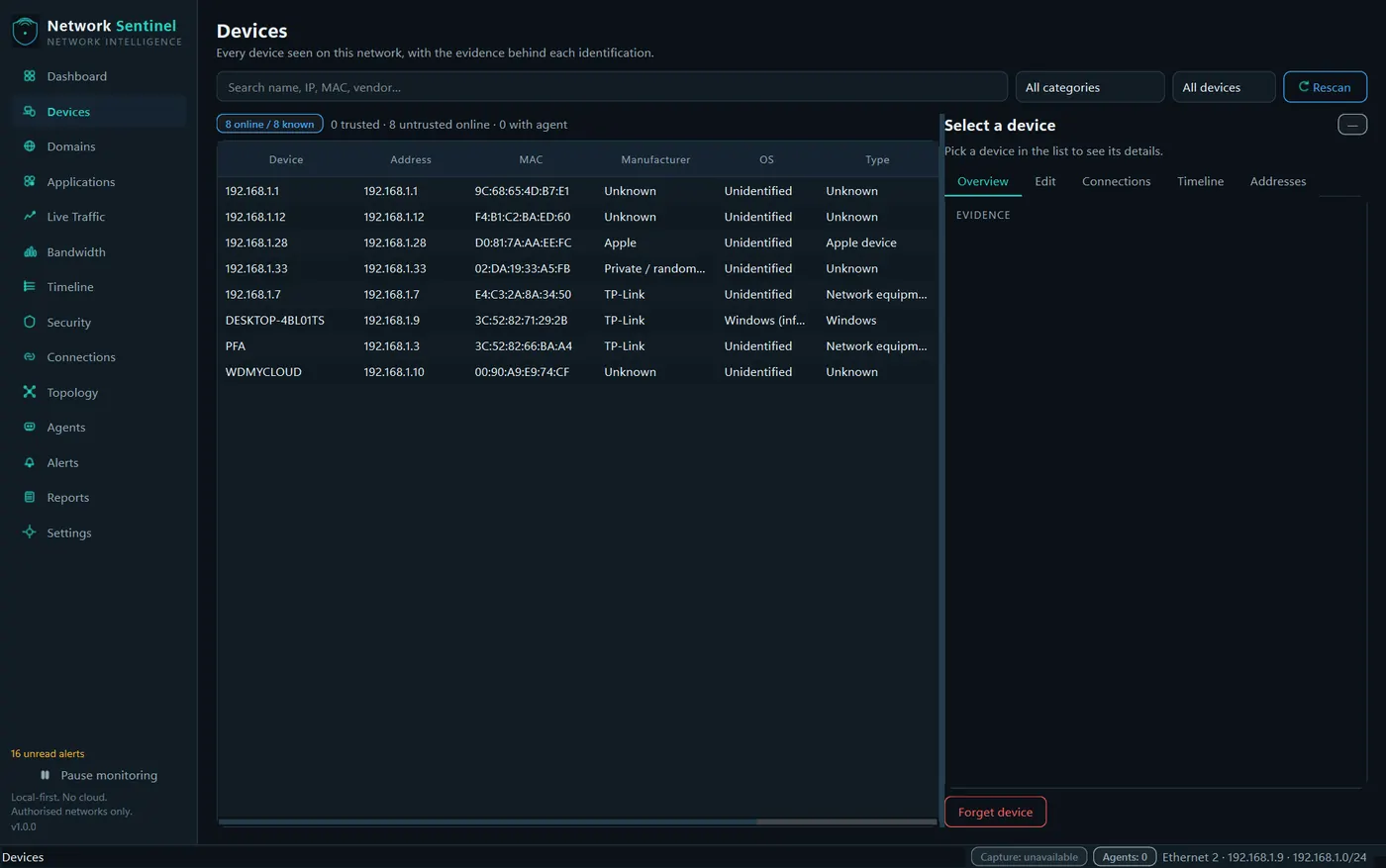
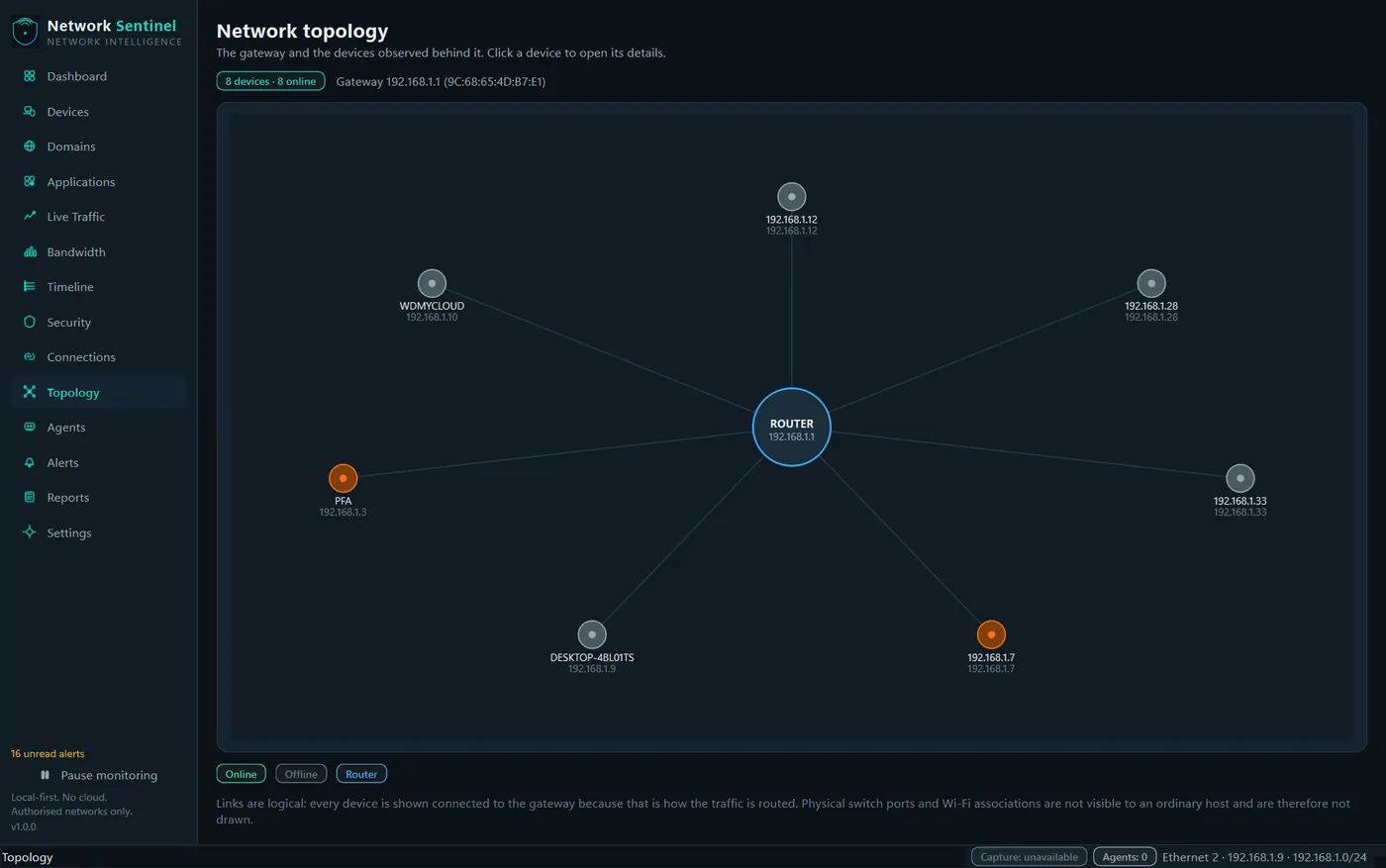
Installation and usage instructions are in the project README on GitHub.
v1.0.0 · 2026-11-18 · 01-dashboard.png, 02-devices.png, 03-domains.png, 04-applications.png
Notes of the latest release (v1.0.0), from GitHub:
NETWORK SENTINEL 1.0.0 Professional desktop application for local network visibility.
WHAT IT IS Network Sentinel is a defensive network monitoring tool for Windows 11 and Linux. It puts an entire local network under an operator's eyes: which devices are on the LAN, what they talk to, how much bandwidth they use, which applications open which sockets, whether anything looks suspicious, and what happened and when.
It combines device inventory, connection exploration, DNS and TLS SNI telemetry, bandwidth accounting, security detection and reporting into one local-first desktop app.
TECHNICAL HIGHLIGHTS - Local SQLite database (%LOCALAPPDATA%\NetworkSentinel): settings, history, findings, alerts, audit log. - Real-time monitoring loop with configurable sample interval, retention and traffic row limits. - Metadata-only capture: packet headers, ports, flags, DNS questions, TLS SNI. Payloads, credentials, cookies and tokens are never captured, stored or displayed. - Per-process attribution via OS socket tables (GetExtendedTcpTable on Windows, /proc on Linux). - Security: behavioural detection + threat intelligence (bundled seed list + custom feed import). - Reports: self-contained PDF, HTML and JSON from local database telemetry, with automated credential redaction.
FILES NetworkSentinel.exe Portable single-file app (Windows 10/11 x64, no Python install needed) NetworkSentinel_Setup.exe Installer (Start Menu shortcut, optional desktop shortcut, uninstaller)
INSTALL
WIFI Center: a security workstation and system manager for Parrot OS (Python/Qt).
Universal local network file sharing, synchronization & device management. Install. Open. Discover. Share.
Professional Wi-Fi spectrum analysis desktop app — live spectrum monitoring, channel planning, waterfall, interference scoring; PySide6 + pyqtgraph.