WIFI Center (Parrot OS)
WIFI Center: a security workstation and system manager for Parrot OS (Python/Qt).
See what your PC is talking to — local, privacy-first Windows network monitor with per-app connections, heuristic telemetry labels and two-click Windows Firewall…
See what your PC is talking to — local, privacy-first Windows network monitor with per-app connections, heuristic telemetry labels and two-click Windows Firewall blocking.
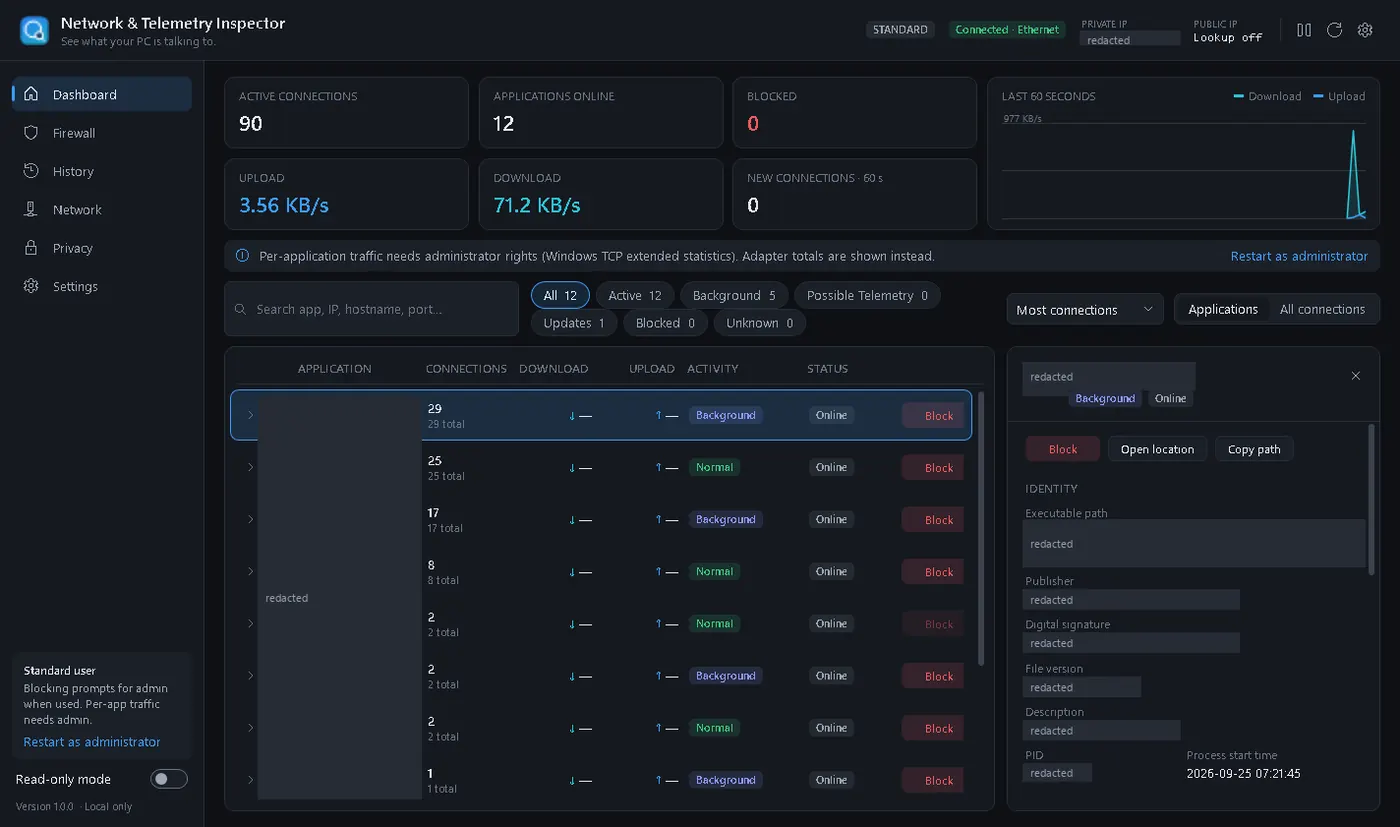
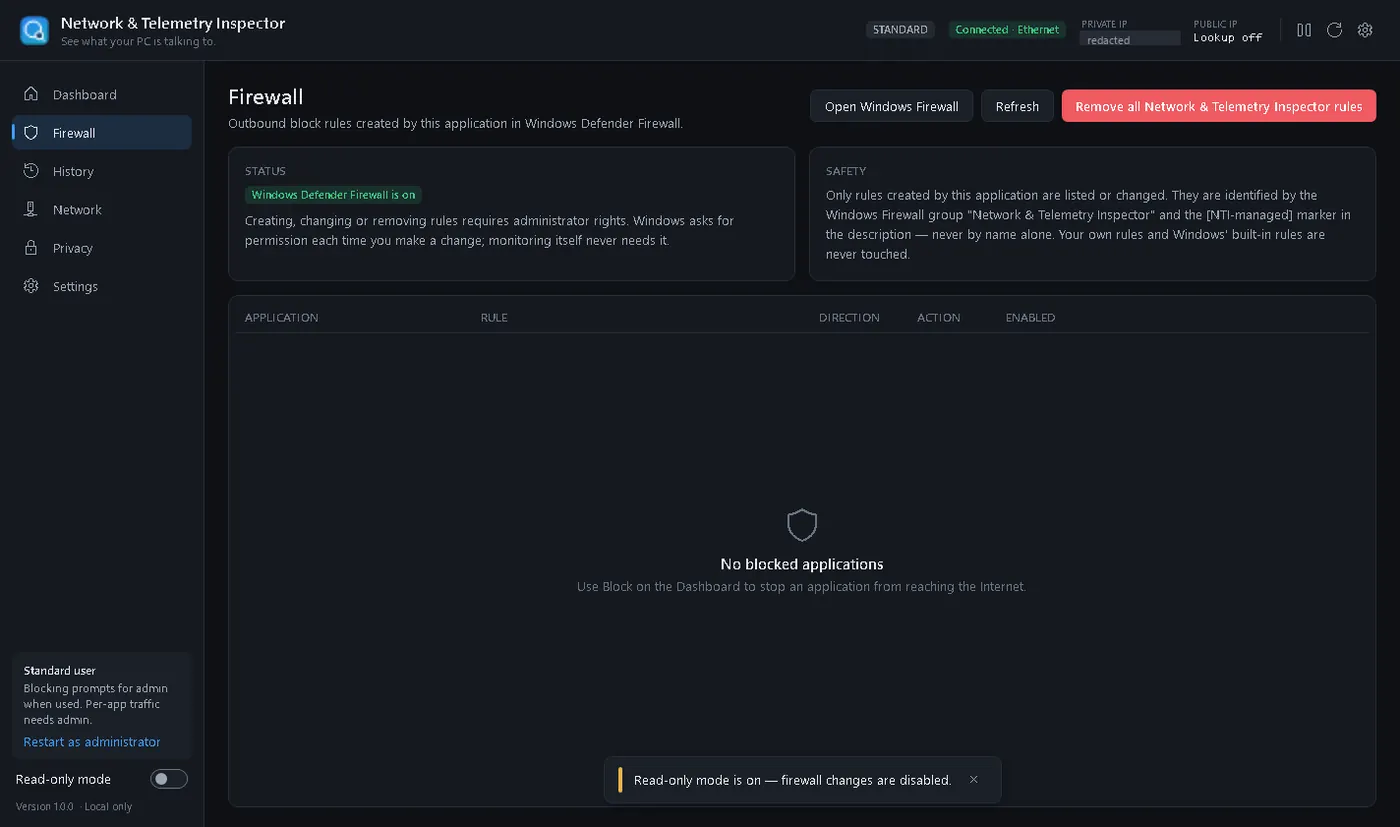
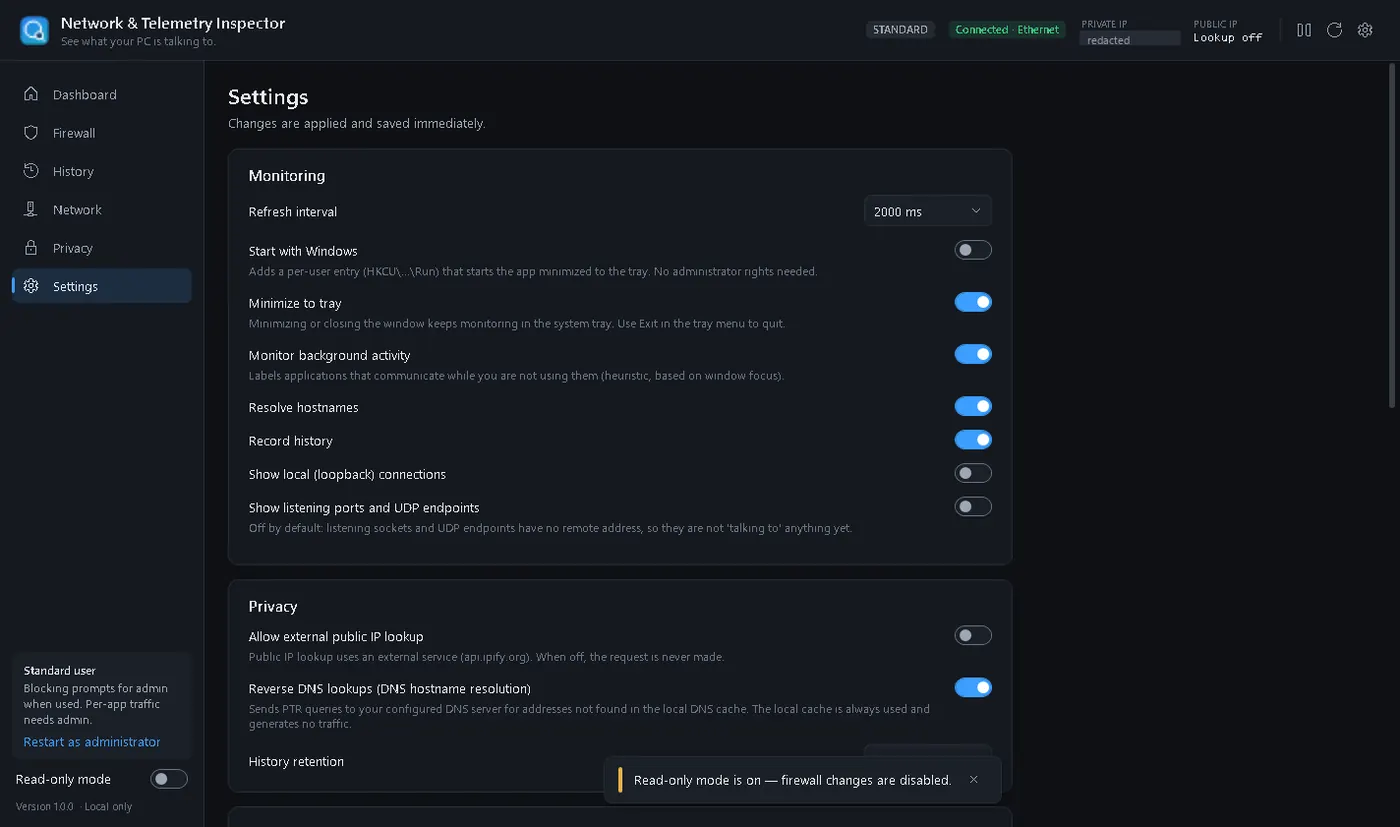
Installation and usage instructions are in the project README on GitHub.
Taken from the repository description.
v1.0.0 · 2026-09-25 · NetworkTelemetryInspector.exe, SHA256SUMS.txt
Notes of the latest release (v1.0.0), from GitHub:
First release. Download NetworkTelemetryInspector.exe, a single portable, self-contained Windows 10/11 x64 file. It needs no installer and no .NET runtime.
- Live per-application TCP connections with process identity, signature, hostnames and a timeline - Heuristic Background / Possible Telemetry / Update Service labels, each showing its evidence - Two-click Block and Unblock with Windows Defender Firewall. Only rules this app created are ever touched - History, live graph, search and quick filters, read-only mode, tray, dark and light themes - Local only: no accounts, no cloud, no telemetry. The optional public IP lookup can be turned off
Verified on Windows 11: 0.15% CPU and about 70 MB memory during monitoring. The Block → verify → Unblock workflow passes end to end.
Per-application upload and download need administrator rights; see the README for all limitations. The exe is not code-signed, so SmartScreen may warn the first time you run it. Check your download against SHA256SUMS.txt.
WIFI Center: a security workstation and system manager for Parrot OS (Python/Qt).
Universal local network file sharing, synchronization & device management. Install. Open. Discover. Share.
Professional desktop app for local network visibility: device discovery, traffic analysis, security monitoring and reports. Privacy-first, local-first.