WIFI Center (Parrot OS)
WIFI Center: a security workstation and system manager for Parrot OS (Python/Qt).
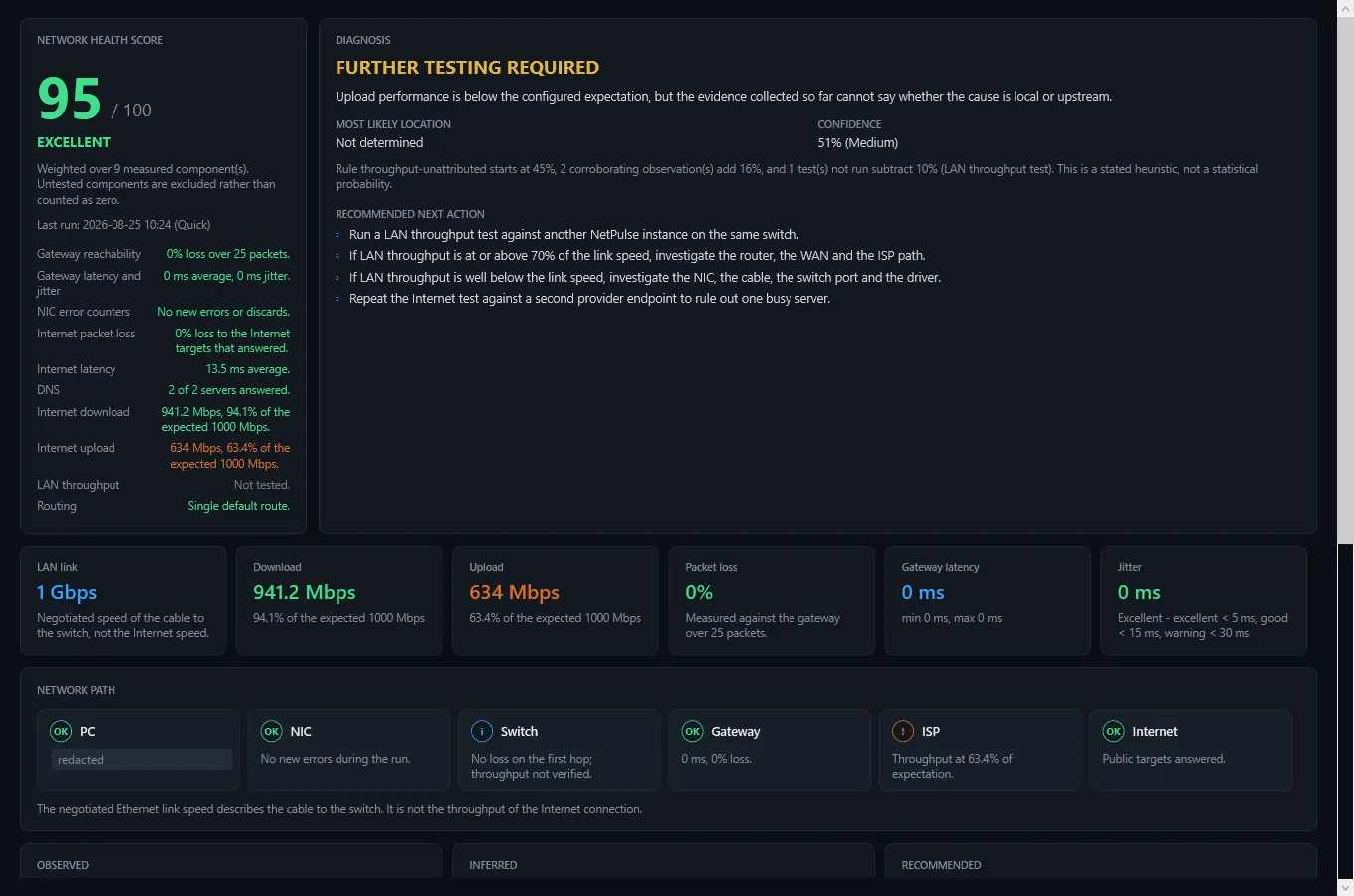
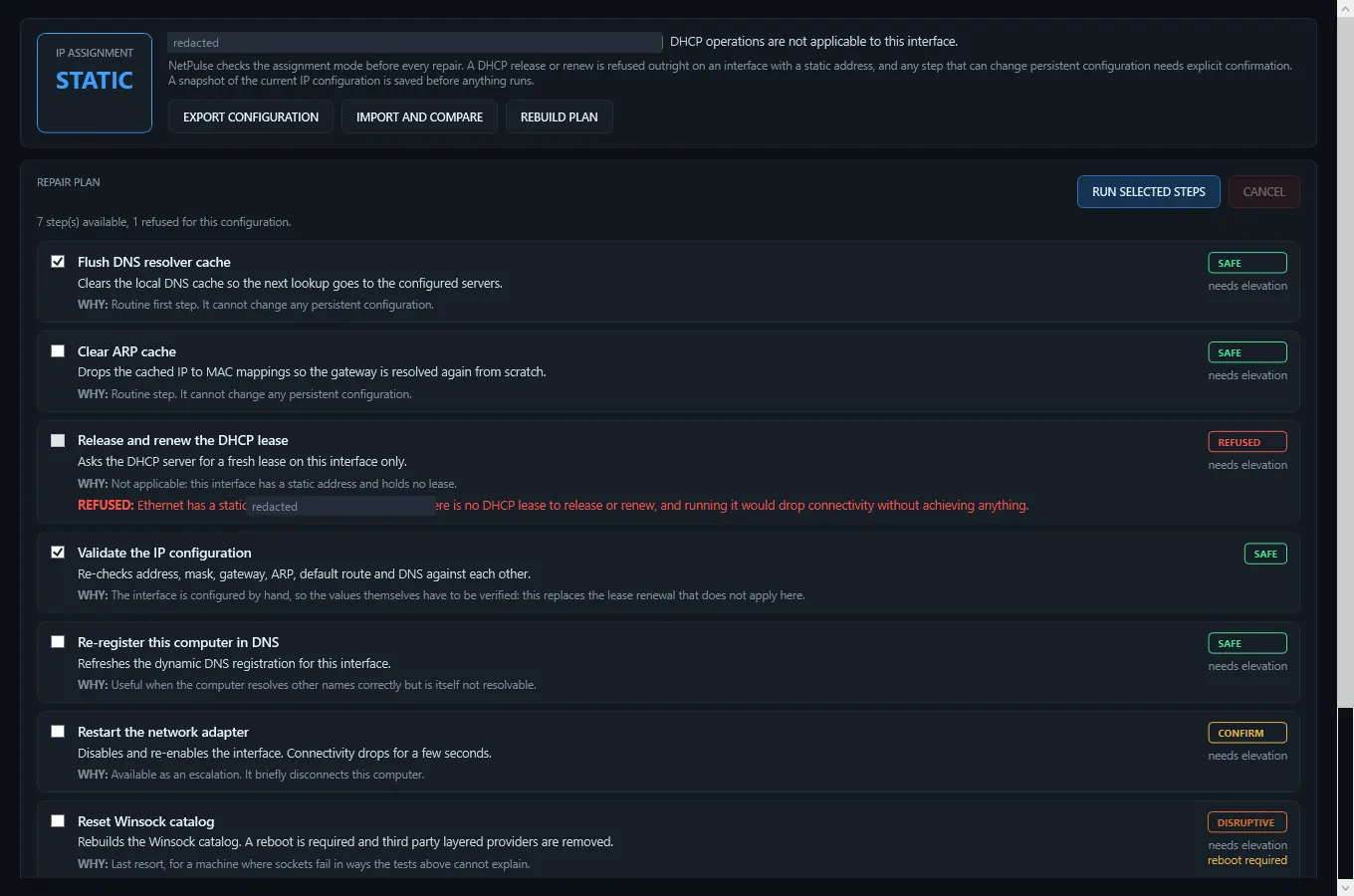
Windows network diagnostic and repair tool that locates the fault by segment - NIC, cable, switch, gateway, WAN - instead of just measuring speed.
Windows network diagnostic and repair tool that locates the fault by segment - NIC, cable, switch, gateway, WAN - instead of just measuring speed. Static-IP safe: DHCP repairs are refused on hand-configured machines.
Installation and usage instructions are in the project README on GitHub.
Taken from the repository description.
v1.0.0 · 2026-08-25 · NetPulse-1.0.0-win-x64.zip, NetPulse.exe
Notes of the latest release (v1.0.0), from GitHub:
NetPulse locates a network fault; it does not just measure speed.
A speed test tells you a machine gets 209 Mbps upload. It cannot tell you whether the cause is the cable, the switch port, the NIC driver, the router, the WAN circuit or the test server. NetPulse measures each segment separately and says which one the evidence points at — and says so explicitly when the evidence is not yet enough to attribute the fault.
Download
| File | What it is | |---|---| | NetPulse.exe | The whole application. Copy it anywhere and run it. | | NetPulse-1.0.0-win-x64.zip | The same executable with the README and licence. |
Windows 10 / 11 x64. No installer, no .NET runtime to add, no account, no telemetry. Diagnostics run without administrator rights. Settings, logs, history and reports go into a NetPulse-Data folder beside the executable, so it works from a USB stick.
What it does
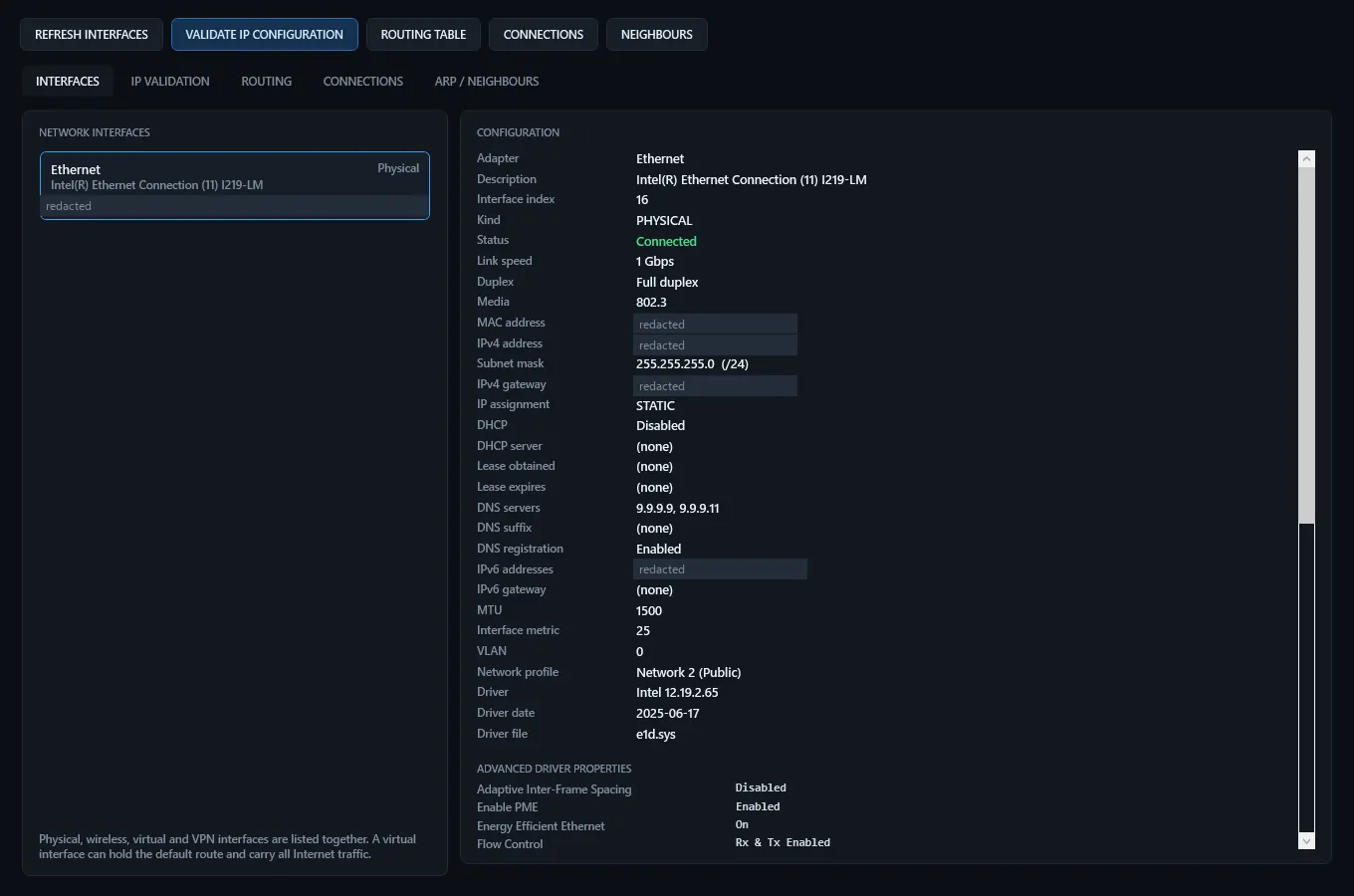
- Adapter and driver — link speed, duplex, MTU, interface metric, VLAN where the driver exposes it, and every advanced NIC property it publishes (RSS, interrupt moderation, flow control, energy efficient Ethernet, receive and transmit buffers). - NIC error counters compared before and after every run. Counters that move during a short run point at the physical path. - Gateway and Internet — loss, latency, jitter and standard deviation, measured per target and never merged. - DNS — per server latency measured by direct UDP query, availability and answer consistency. - Route
WIFI Center: a security workstation and system manager for Parrot OS (Python/Qt).
Universal local network file sharing, synchronization & device management. Install. Open. Discover. Share.
Professional desktop app for local network visibility: device discovery, traffic analysis, security monitoring and reports. Privacy-first, local-first.