Filip Board FAN Control
Windows fan monitoring and opt-in, verified fan control for the Gigabyte Z370 AORUS Gaming 7 (WPF, .NET 8, LibreHardwareMonitor, SQLite). Read-only by default.
One-button portable Windows utility that detects RGB hardware and turns all supported lighting off.
One-button portable Windows utility that detects RGB hardware and turns all supported lighting off. Native OpenRGB SDK protocol client, vendor SDK backends, CLI with RMM exit codes. Single self-contained exe.
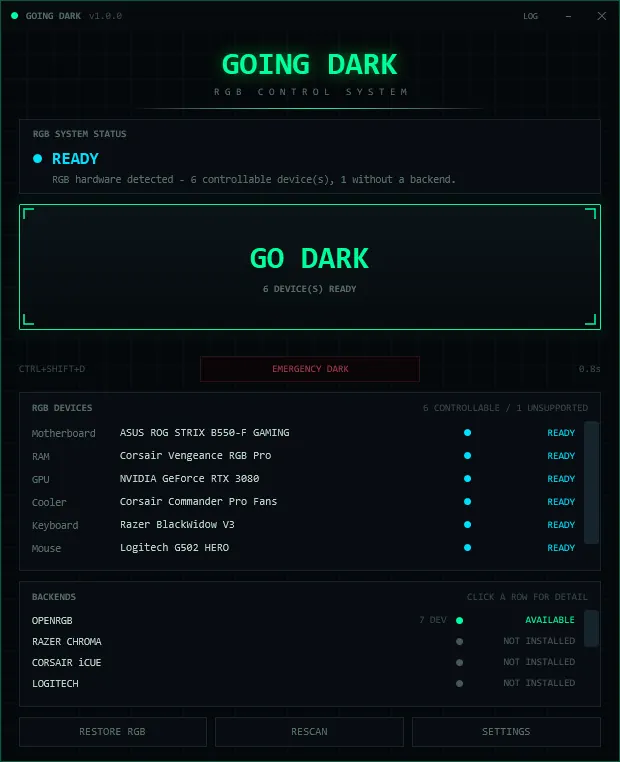
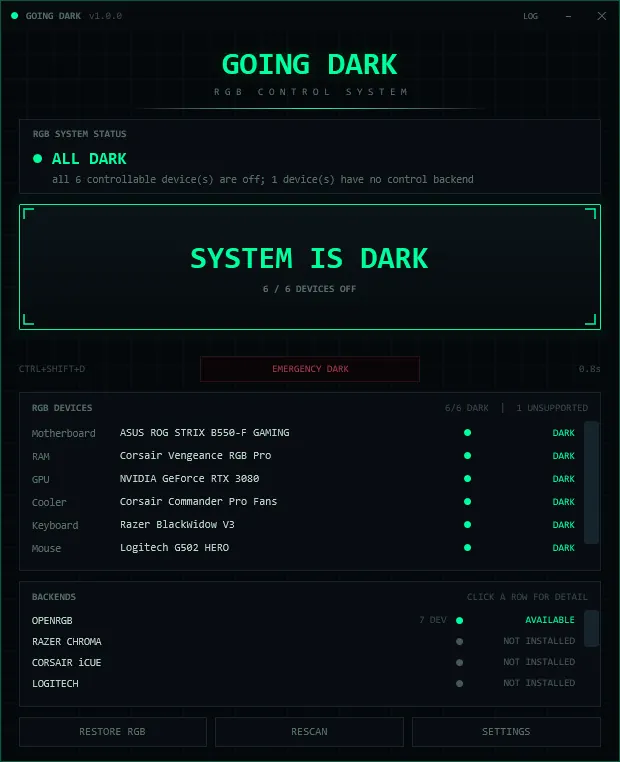
Installation and usage instructions are in the project README on GitHub.
Taken from the repository description.
v1.0.0 · 2026-08-07 · GOING-DARK.exe
Notes of the latest release (v1.0.0), from GitHub:
One button. One purpose. Go dark.
Download GOING-DARK.exe below. That single file is the whole application — Windows 10/11 x64, self-contained, portable. No installer, no account, no cloud, no telemetry, works offline. It does not need .NET, a Visual C++ runtime, or OpenRGB in order to launch.
What it does
Inventories your hardware, detects which RGB control backends are usable, saves the current lighting, turns off every device a backend can actually control, then reads the state back and reports precisely what happened — ALL DARK, PARTIALLY DARK, NO RGB DETECTED, BACKEND UNAVAILABLE or CONTROL ERROR. It never reports success for a device it did not actually darken.
Backends
| Backend | Control | |---|---| | OpenRGB | Full — native implementation of the OpenRGB SDK network protocol. Enumerates controllers, zones, modes and LEDs; turns each device off through whichever mechanism it actually exposes; verifies by reading the state back; saves and reloads a server-side profile for restore. | | Razer Chroma / Corsair iCUE / Logitech | Session — these SDKs hand lighting back to the vendor software when the client disconnects, so such devices are marked DARK and the caveat is shown everywhere. | | ASUS Aura, MSI Mystic Light, Gigabyte RGB Fusion, ASRock Polychrome, SteelSeries GG, NZXT CAM | Detection only — reported as DETECTED, every control call returns NOT SUPPORTED. These vendors publish no local control interface an application like t
Windows fan monitoring and opt-in, verified fan control for the Gigabyte Z370 AORUS Gaming 7 (WPF, .NET 8, LibreHardwareMonitor, SQLite). Read-only by default.
Windows desktop app to switch DNS providers safely, benchmark resolvers, manage DNS profiles and troubleshoot DNS. WPF / .NET 10, local-only, no telemetry.
Unupunct's MacOS menu-bar utility hub. macOS 13 and later should open it.