MacAudioOo
Native macOS mixer, recording studio and DJ app: per-app volume, 10-band EQ, multitrack 24-bit WAV recording and 2/4-deck DJ with BPM sync.
Windows mashup studio: import two tracks, match tempo and key, cut and arrange sections, mix and export.
Windows mashup studio: import two tracks, match tempo and key, cut and arrange sections, mix and export. Real BPM/key/loudness analysis, in-repo FLAC codec, single portable exe.
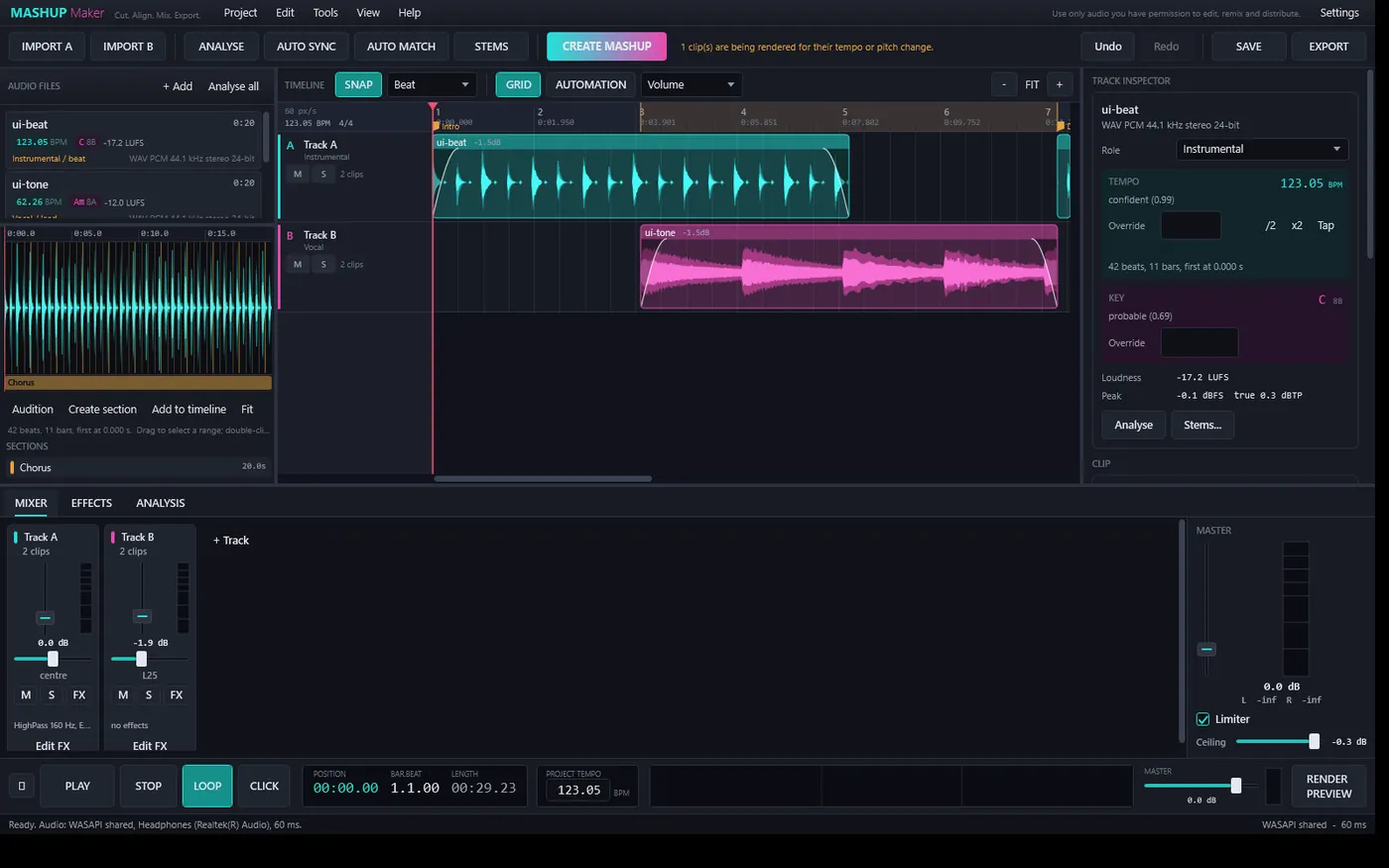
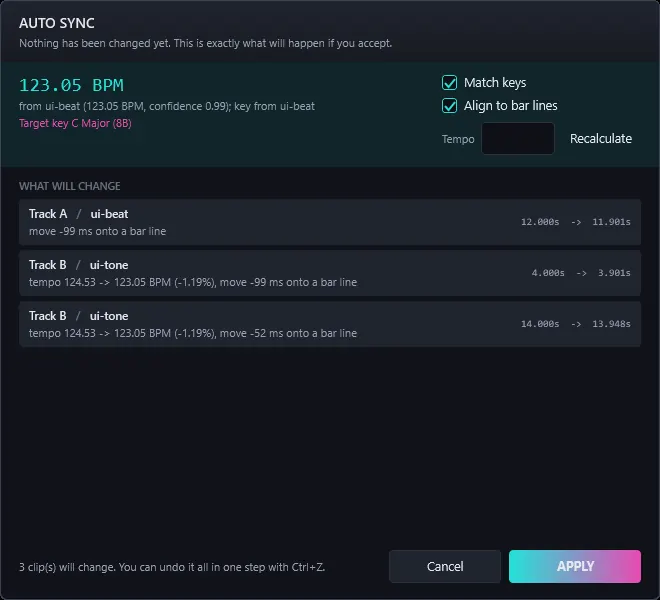
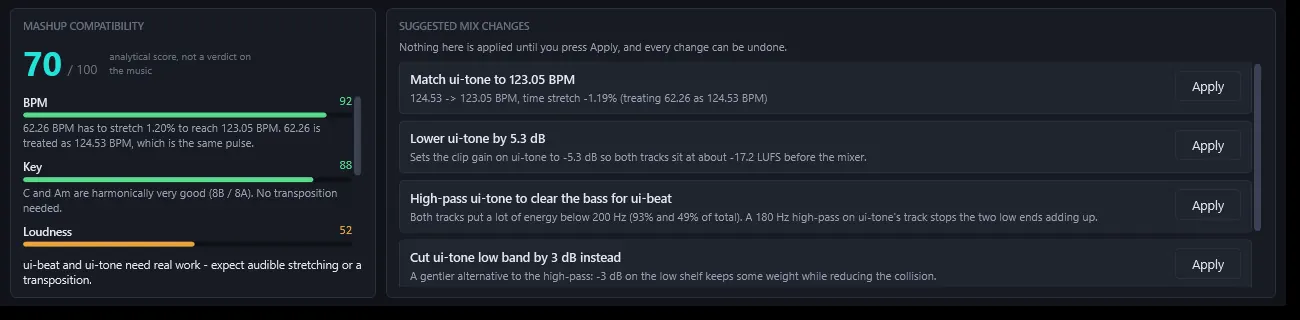
Installation and usage instructions are in the project README on GitHub.
Taken from the repository description.
v1.0.0 · 2026-09-09 · MASHUPMaker-1.0.0.msi, MASHUPMaker.exe
Notes of the latest release (v1.0.0), from GitHub:
Cut. Align. Mix. Export.
First release. Two ways to get it, and they contain the same application:
| | | |---|---| | MASHUPMaker.exe | The portable one. Put it anywhere, run it. Nothing is installed, no administrator rights, no .NET needed. | | MASHUPMaker-1.0.0.msi | The installer. Start menu entry, optional desktop shortcut, .mashup files open in it, and it uninstalls from Settings like any other application. Installs per user, so no administrator rights and no UAC prompt either. |
Windows 10 (1809+) or 11, 64-bit.
Uninstalling deliberately leaves your projects, settings and caches in %LOCALAPPDATA%\MashupMaker alone — an uninstaller has no business deleting someone's work.
SHA-256 MASHUPMaker.exe fe60aaabccb6e82ea345528448fa846ca44b8a3737e1f887a9f62da3d6c2ece0 MASHUPMaker-1.0.0.msi b020caeb793db323bd9d659b497d1c73a55aad690aff8bc07091c461ba2d20aa
Neither file is code-signed, so Windows SmartScreen will warn the first time. Check the hash above if you want to be sure of what you have.
Everything MASHUP Maker reports is measured from your audio. Nothing is faked, estimated silently, or filled in with a plausible-looking default, and your source files are never modified.
What it does
Import an instrumental and a vocal, and it measures both - tempo, key, loudness, beat grid, downbeats, sections - tells you how well they fit and why, stretches them onto one tempo, transposes them into one key if that helps, lines everything
Native macOS mixer, recording studio and DJ app: per-app volume, 10-band EQ, multitrack 24-bit WAV recording and 2/4-deck DJ with BPM sync.
Real-time audio visualization and video studio: 35 GPU visualizers, 60 presets, animated titles and synced MP4/WebM export up to 4K.
Free two-deck DJ software for the original Hercules DJ Console (HID).